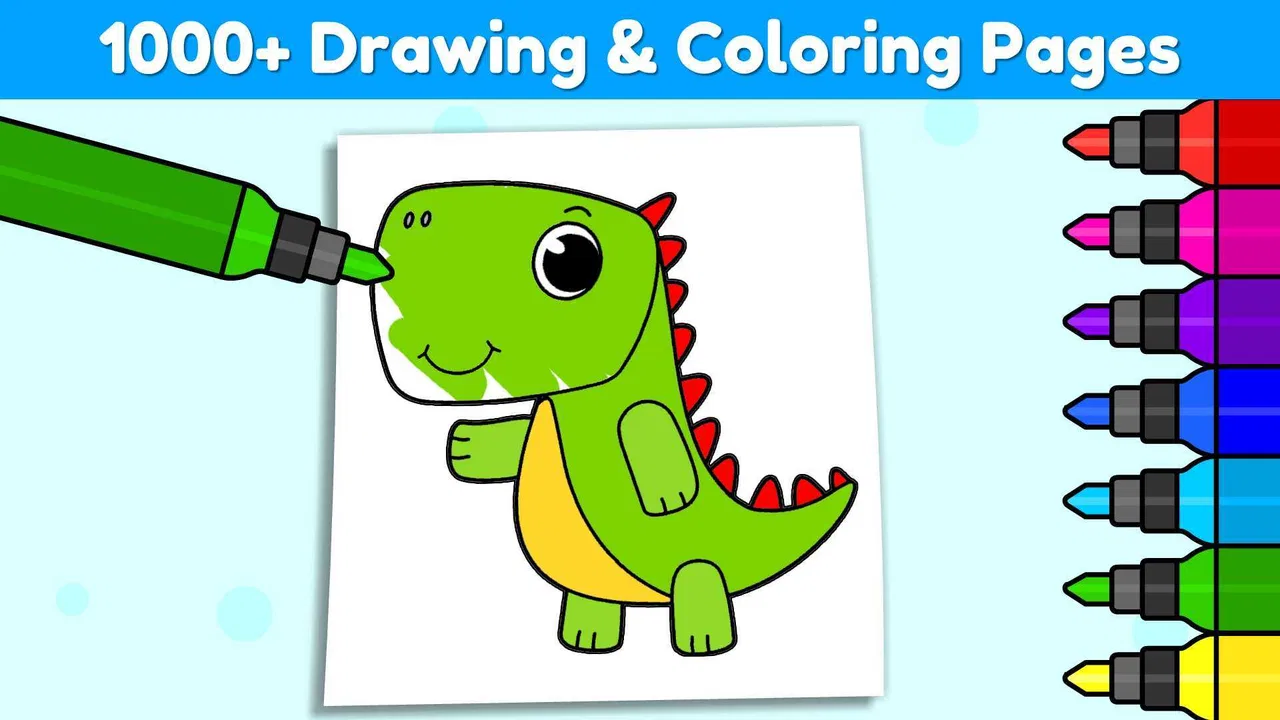
Coloring Games for Kids: Color
- 4.6
- Rating
- 10.00M
- Installs
- Free
- Price

 Analysis by App-foxy
I found Coloring Games for Kids: Color most useful as a low-pressure creative game rather than as a traditional lesson app. It is designed for children who enjoy choosing colors, filling pictures, and trying simple drawing activities without the pressure of a score or a difficult objective. The large collection is its obvious attraction, but the more important question is whether a child can comfortably understand the screens, control the coloring tools, and stay interested over time.
In my experience, this educational game works best when an adult treats it as a flexible activity rather than leaving it to replace hands-on drawing. A child can use it for a short quiet break, a creative warm-up before schoolwork, or a shared activity with a parent. It is free to start, aimed at Everyone, and developed by IDZ Digital Private Limited. The app is available for devices running Android 6.0 or later, while optional purchases range from $1.99 to $19.99 per item.
How the screens feel for different abilities and situations
I pay close attention to how a coloring screen feels in use, because the same simple activity can be comfortable for one child and tiring for another. In particular, the size and clarity of choices, the need for precise taps, and the pace of browsing can shape whether a child settles into coloring or needs help getting started. Those differences also point to practical ways to make the experience calmer and easier to manage.
You May Also Like

 Blood Strike: 2.5 Anniversary
Blood Strike’s Loadouts Turn Every Drop Into a Tactical Gamble
A close look at Blood Strike’s custom loadouts: how fast access to signature weapons reshapes its battle royale rhythm, rewards preparation, and narrows the gap between fights.

 Pandora - Music & Podcasts
Pandora’s Music Is Easy to Start, but Harder to Recover
Pandora’s strength is its low-effort path from a seed to a station. Its weak spot is how much confidence it asks you to place in connection, setup, and quiet recovery.

 8 Ball Pool
 Is Built on Rivalries, Rematches, and Routine
A close look at the rivalries, rematches, shared routines, and unanswered safety questions that turn a quick pool match into a persistent mobile community.

 Samsung Music
’s Quiet Strength Is Playing What You Already Own
Its reach comes less from spectacle than from dependable access to a personal library. That simplicity is both the app’s strongest retention engine and its ceiling.

 AccuWeather: Weather Radar
AccuWeather Review: A Quick, Clear Forecast for Everyday Decisions
For everyday plans, the best forecast is the one you can understand quickly. AccuWeather makes rain timing, radar, and local conditions easy to act on, with a few trade-offs.

 Hill Climb Racing
Why Hill Climb Racing Still Turns Crashes Into One More Run
A tiny car, a bumpy hill and one more upgrade: Hill Climb Racing keeps resurfacing because its simple chaos makes every near-miss feel personal.
More From Our News Desk



Readable choices and a simple path into coloring
The central idea is easy to understand: choose a picture, select colors, and interact with the drawing. That simplicity matters for younger children, especially those who are not ready to read long instructions. A child who recognizes pictures more easily than words can often understand the purpose of the activity through the visual layout alone.
I also like that the app’s broad collection gives families room to find an appropriate starting point. A child who is still learning how to control a finger on a touchscreen can begin with an uncomplicated picture, while a more confident child can look for something that allows more experimentation. The experience feels less intimidating than opening a blank digital canvas, where the child has to decide what to create from nothing.
There is still a difference between “easy to start” and “easy for every child.” A young user may tap the wrong picture, leave an activity accidentally, or need help understanding what each control does. Children who have difficulty identifying small visual differences may also need an adult nearby at first. I would spend a few minutes exploring the menus with the child before expecting independent use.
For children with developing reading skills, the visual nature is helpful, but it should not be confused with full language independence. If a child cannot read a label or understand an icon, an adult may need to explain it. That is not a serious flaw in a coloring game, but it affects how suitable the app is for unsupervised use.
Touch control, precision, and sensory comfort
Digital coloring removes some of the physical demands of paper and crayons. There is no need to hold several pencils, press hard enough to leave a mark, or manage scraps of paper. That can make the activity more comfortable for a child who tires quickly during traditional drawing. It also makes cleanup much easier, which is useful in classrooms, waiting rooms, and small homes.
At the same time, touchscreen coloring still requires controlled tapping and dragging. A child with limited fine-motor precision may find it difficult to stay inside a picture or select a small tool. I would not assume that a digital format automatically solves motor challenges. It changes the type of movement required, and some children will find that change helpful while others may prefer the resistance and larger physical feedback of crayons.
A practical approach is to use a device that the child can hold securely and place it on a stable surface rather than expecting them to balance it in their lap. If the child tends to make accidental taps, sitting beside them and slowing the activity down can help. The app is most successful when the goal is exploration, not perfect coloring.
Sensory preferences also vary widely. Bright colors and repeated tapping may be enjoyable for one child and tiring for another. I would introduce it in a calm setting, with the device brightness adjusted to the child’s comfort, and watch for signs that the activity is becoming overstimulating. The game can be a quiet option, but the screen itself may not feel quiet to every child.
Useful moments during an ordinary day
One realistic use is a short transition after school. A child may arrive tired, need a few minutes before homework, and choose a picture while a parent prepares a snack. The activity gives the child something structured to do without demanding immediate academic concentration. I would keep the session brief and then invite the child to describe the picture or explain the color choices, turning screen time into a small conversation rather than an isolated habit.
It can also work during travel or appointments when carrying a full art kit is inconvenient. A phone or tablet is easier to pack than paper, coloring books, and several containers of supplies. The trade-off is that the child is dependent on the device, so this is not a replacement for offline activities when a screen-free environment is preferred.
For families with more than one child, the app can support turn-taking, but the experience is not automatically collaborative. Two children sharing one screen may argue over colors or controls. I would give each child a defined turn or ask them to choose a picture together before starting. That simple structure makes the activity more inclusive than assuming every child will share naturally.
It may also suit a child who is reluctant to draw because mistakes on paper feel permanent. Digital coloring can feel safer: the child can try a color, change direction, and continue without wasting materials. That sense of reversibility is one of the strongest reasons I would recommend trying it with a hesitant artist.
What the large collection adds—and what it does not
The app presents a wide variety of activities, with more than 1,000 coloring and drawing games available. That breadth is valuable because children’s interests change quickly. A child may lose interest in one theme but remain engaged when another type of picture offers a fresh challenge.
However, a large library can also create choice overload. A child may spend more time browsing than coloring, especially if every option looks appealing. I get better results when an adult narrows the choice to two or three pictures instead of handing over the entire collection. This is a small but important workflow: limiting the menu can make the app feel calmer and help a child finish an activity.
The collection should also be viewed as a source of repeated practice, not a guarantee of deep progression. A child can improve confidence through frequent use, but the game is not the same as a structured art curriculum. It encourages making and experimenting more than it teaches formal drawing technique.
How it compares with paper, blank drawing apps, and learning games
Compared with paper coloring books, this game is cleaner, easier to restart, and more portable. Paper wins when a child benefits from tactile feedback, wants to display the finished work physically, or needs a break from screens. I would choose paper for a long creative session and this app for a quick, convenient activity.
Compared with a blank drawing app, it offers a gentler entry point. The child does not have to invent a subject or understand a complex canvas before beginning. That makes it better for younger users and reluctant artists. A blank canvas is the better choice for children who already know what they want to draw and want more control over composition.
Compared with educational games built around letters, numbers, or quizzes, the learning is less direct. The value is in color recognition, decision-making, visual attention, and hand control rather than a clearly sequenced academic skill. Parents looking for explicit reading or mathematics practice should choose a specialist learning app instead of expecting coloring activities to provide that structure.
Small strategies that make the experience more inclusive
My first tip is to create a predictable routine: choose one picture, color for a set period, and finish by showing or discussing the result. Predictability can help a child who becomes anxious when activities change suddenly. It also prevents the endless browsing that can make the app feel disorganized.
My second tip is to separate “accuracy” from “success.” If a child colors outside an area or chooses unusual combinations, I would avoid correcting every decision. The point is to give the child control and a chance to experiment. For a child who needs more structure, an adult can suggest a limited palette without turning the activity into a test.
My third tip is to use the app as a bridge to offline creativity. After finishing a digital picture, ask the child to recreate one part with crayons, describe a story about the image, or compare warm and cool colors. This extends the activity beyond the screen and reveals whether the child enjoys coloring itself or mainly enjoys the device interaction.
A fourth useful habit is to test the app before offering it during a stressful moment. Menus, purchases, and unfamiliar controls are easier to manage when everyone is calm. The free entry point makes trying it straightforward, but optional in-app purchases mean adults should remain responsible for deciding what the child may access.
Barriers that families should consider honestly
The biggest limitation is that touch interaction is not universally comfortable. Children with tremors, reduced reach, visual processing difficulties, or strong sensitivity to screens may need substantial support. The app can be adapted through the surrounding situation—stable positioning, shorter sessions, adult guidance—but I would not present it as a complete accessibility solution.
Another barrier is the gap between visual simplicity and actual independence. The pictures may be understandable, yet a child can still need help navigating between activities or recovering from an unintended tap. This matters in childcare settings where one adult is supervising several children. In that situation, paper coloring may be easier to distribute and monitor.
Screen fatigue is another reason to be selective. A child who has already spent much of the day using a tablet for school may not experience this as a refreshing break. The app can be enjoyable, but its educational category does not remove the ordinary costs of additional screen time. I would judge it by the child’s overall routine, not by the fact that the activity is creative.
There is also a creative limitation in guided coloring. Children who want to draw their own characters, scenes, or patterns may quickly outgrow the provided format. For them, the game may be a warm-up rather than a main art tool. I would skip it as a primary choice if the child is specifically asking for layers, freehand control, or a more advanced digital studio.
Performance, expectations, and value
The current version is 5.22.1, and the game has been available since June 26, 2019. Its long presence and broad adoption suggest that it has found a durable audience, but popularity should not decide whether it fits a particular child. What matters more is whether the child can navigate it comfortably and whether the available activities match their interests.
The app has an average rating of 4.6 from roughly 28 thousand ratings, with more than 10 million installs. Those figures indicate strong general appeal, but they do not tell me whether a child with a specific motor or sensory profile will enjoy it. I would treat them as a reason to try it, not as proof that it will work for everyone.
Because the game is free, families can evaluate the basic experience without committing to a purchase. The optional items may be worthwhile for a child who uses the app regularly, but I would first observe whether the child returns to the available activities naturally. Paying for more content does not solve navigation problems, touch-control difficulties, or screen fatigue.
I also appreciate that the Everyone age rating makes the app approachable for family use. Still, age labels are broad. A preschool child may need more supervision than an older child, while an older child with advanced artistic interests may find the activities too limited. The best match depends on developmental ability, not age alone.
My inclusive verdict
I recommend this game for families seeking an approachable digital coloring activity with a substantial range of pictures. It is especially well suited to children who like visual choices, need a gentle starting point for creative play, or benefit from a clean alternative to paper and crayons. Its strongest quality is not that it teaches everything; it is that it lowers the barrier to beginning.
I would introduce it with a stable device position, a small number of choices, and a clear stopping point. Those simple adjustments make the experience easier to follow and reduce the frustration caused by browsing or accidental taps. For a child who enjoys the activity, it can become a useful part of a broader routine that includes conversation, physical drawing, and other screen-free play.
I would choose a paper coloring book for tactile feedback, a freehand art app for creative independence, or a more focused educational game for explicit academic practice. Even so, Coloring Games for Kids: Color earns a place among the better first attempts at digital art for young children. My final view is positive but practical: it is a flexible creative tool, not a universal accessibility answer, and it works best when an adult shapes the setting around the child’s abilities.
FAQs for Coloring Games for Kids: Color
01What age group is Coloring Games for Kids: Color suitable for?
Coloring Games for Kids: Color is designed for children aged 3 to 8. The app offers a variety of coloring pages and activities that cater to this age range, ensuring a balance between fun and educational content. It helps in developing fine motor skills and creativity in young children.
02Does the app require an internet connection to function?
Coloring Games for Kids: Color can be used offline for most of its features. However, an internet connection may be necessary for downloading new coloring pages and updates. This offline capability makes it convenient for use during travel or in areas with limited connectivity.
03Are there any in-app purchases or advertisements?
The app does include in-app purchases to unlock additional features and content. While it is ad-supported, parents have the option to remove ads through a one-time purchase. It's advisable to check parental controls to prevent unauthorized purchases by children.
04Is Coloring Games for Kids: Color safe for children?
Yes, the app is designed with child safety in mind. It has a user-friendly interface suitable for young children, with no external links that lead out of the app. Additionally, parental controls are available to manage access to certain features, ensuring a safe environment for children.
05What devices and operating systems are compatible with the app?
Coloring Games for Kids: Color is available on both Android and iOS platforms. It supports a wide range of devices, including tablets and smartphones. For optimal performance, ensure your device meets the minimum OS requirements specified in the app store listing.
Pros
- Wide variety of coloring pages available.
- User-friendly interface for kids of all ages.
- Offline mode available for uninterrupted play.
- Encourages creativity and artistic skills.
- Safe
- ad-free environment for children.
Cons
- Limited color palette in free version.
- Some features require in-app purchases.
- Occasional lag on older devices.
- No option to save progress across devices.
- Lacks parental control features.

Coloring Games for Kids: Color
Gallery